Skip to product information
1 of 5

VARDENCIA.

Sinking Funds Tracker for Excel

Sinking Funds Tracker for Excel

Regular price €12,95 EUR
Regular price €16,19 EUR Sale price €12,95 EUR
Sale Sold out
Taxes included. Shipping calculated at checkout.
Quantity

Stop being caught off guard by expenses you knew were coming.

Car repairs. Annual subscriptions. Birthday gifts. Holiday costs. These expenses aren't surprises — they're predictable. The problem is that most budgets don't plan for them. So when they arrive, they break the budget.

The Sinking Funds Tracker for Excel from VARDENCIA solves this. It gives you a structured system to plan, save, and track every irregular expense in advance — so nothing ever catches you off guard again.

What Is A Sinking Fund?

A sinking fund is a dedicated savings pot for a specific future expense. Instead of scrambling when the car needs a repair or the insurance renewal arrives, you set aside a small amount each month — and the money is already there when you need it.

It's one of the most effective tools in personal finance. And this tracker makes it simple to manage multiple sinking funds at once, without losing track of any of them.

What This Tracker Does

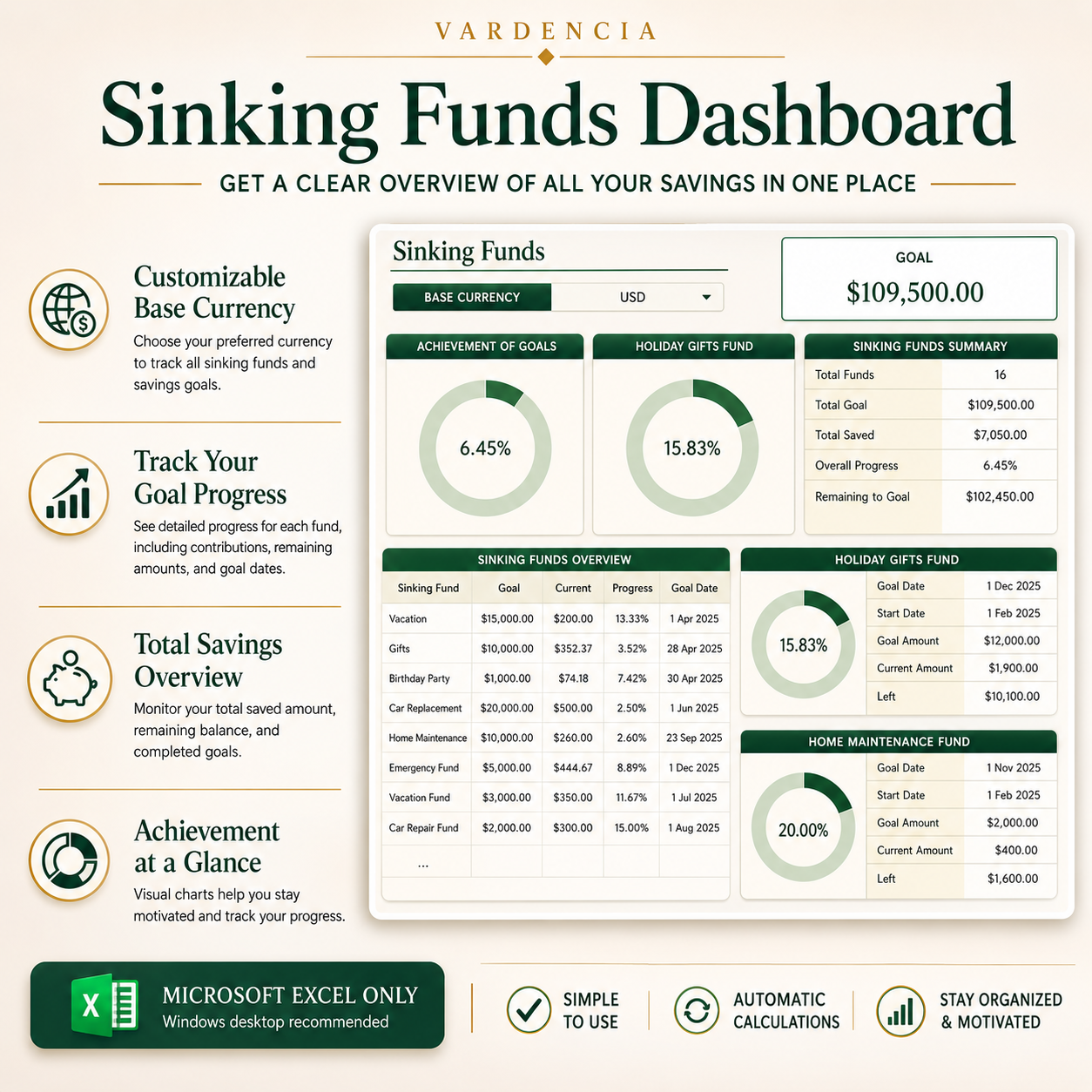
  • Track multiple sinking funds in one clear overview
  • Set a target amount and target date for each fund
  • Log monthly contributions and see your progress automatically
  • Visual progress indicators — see exactly how close you are to each goal
  • Remaining balance calculated automatically — no formulas needed
  • Clean, structured layout that works alongside your monthly budget
  • One-time payment — instant download, yours forever

Who This Is For

This tracker is for anyone who wants to stop being surprised by expenses they already knew were coming. If you've ever had a month derailed by a car repair, a vet bill, a birthday you forgot to budget for, or an annual subscription that hit at the wrong time — this is the tool that prevents that from happening again.

It works best alongside a monthly budget. If you don't have one yet, the Monthly Budget Planner is the natural starting point.

What You Can Track

  • Car repairs and maintenance
  • Holiday and travel costs
  • Annual insurance renewals
  • Home repairs and maintenance
  • Birthday and gift budgets
  • Christmas and seasonal costs
  • Emergency fund contributions
  • Any other planned future expense

How It Works

Open the template in Microsoft Excel. Add your sinking fund categories — as many or as few as you need. Set a target amount and a target date for each one. Enter your monthly contributions. The tracker calculates your progress, your remaining balance, and how much you need to save each month to hit your target on time.

No formulas to build. No setup required. Just open and start tracking.

Compatibility

  • ✅ Microsoft Excel on Windows — fully supported
  • ⚠️ Tablet — usable, desktop recommended for best experience
  • ❌ Google Sheets — not supported
  • ❌ Mobile phone — not supported

Frequently Asked Questions

What's the difference between a sinking fund and an emergency fund?
An emergency fund covers unexpected costs you couldn't have predicted. A sinking fund covers irregular costs you know are coming — car repairs, annual bills, seasonal expenses. Both are important. This tracker is designed for sinking funds specifically.

How many sinking funds can I track?
As many as you need. The template is flexible — add categories for every irregular expense in your life.

Does this work with Google Sheets?
No. This template is designed for Microsoft Excel only.

Do I need Excel skills to use this?
No. The template is ready to use immediately after download. Just open, fill in your funds, and start tracking.

How do I receive my file?
After purchase, you'll receive an instant download link. No waiting, no shipping.

View full details